|
<< Click to Display Table of Contents > Deep Engraving |
  
|
|
<< Click to Display Table of Contents > Deep Engraving |
|
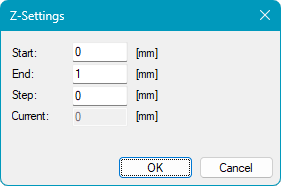
The Deep Engraving feature allows an object to be marked multiple times at different Z heights. This is typically used to create deeper engravings by removing material layer by layer.
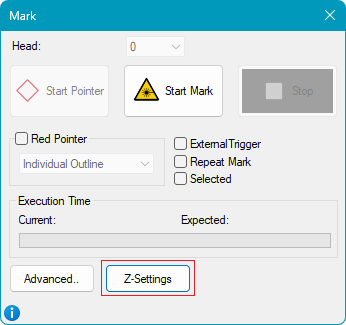
The dialog can be opened via Mark → Z‑Settings.
|
|
Figure 524: Deep Engraving Dialog
During the marking process, the object is marked repeatedly while the Z position is incremented by the defined Step value after each pass. The Z position for each marking pass is calculated as follows:
1. Loop: Z = Start
2. Loop: Z = Start + Step * 1
3. Loop: Z = Start + Step * 2
...
i. Loop: Z = Start + Step * ( i - 1 )
...
n. Loop: Z = End – Step
The last marking is performed at Z = End – Step. Since this final pass removes material to a depth of Step, the resulting engraving depth reaches the specified End value.
For example, if:
Start = 0 mm
Step = 0.1 mm
End = 0.5 mm
the object will be marked at the following Z-positions: 0 mm → 0.1 mm → 0.2 mm → 0.3 mm → 0.4 mm
After the final pass, the total engraving depth is 0.5 mm.
The configured Z-Settings are stored within the job file.