|
<< Click to Display Table of Contents > Split Preview |
  
|
|
<< Click to Display Table of Contents > Split Preview |
|
The Split Preview can be used to display the split parts of the current job. The feature can be accessed via Extras -> Splitting -> Split Preview. It can additionally be used for a variety of different applications. Some of which will be described in the following chapters.
When activating the feature, the following window will pop up and will allow you to inspect the different split parts. Each of them is put into a separate group in the Entity List. Should the different splitparts be inspected in more detail, we advise on using the feature Show Only Selected in the Entity List.
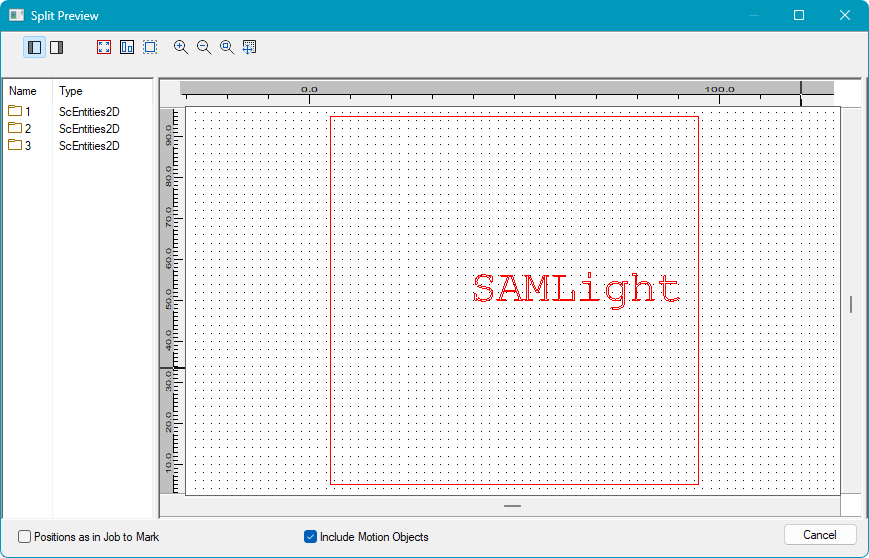
Figure 445: Split Preview
Positions as in Job to Mark: The split parts will be located in the View2D as they are given out during marking. If the feature is disabled, the positions of the original job will be used.
Include Motion Objects: Motion Control Objects will be included in the groups of the split parts.
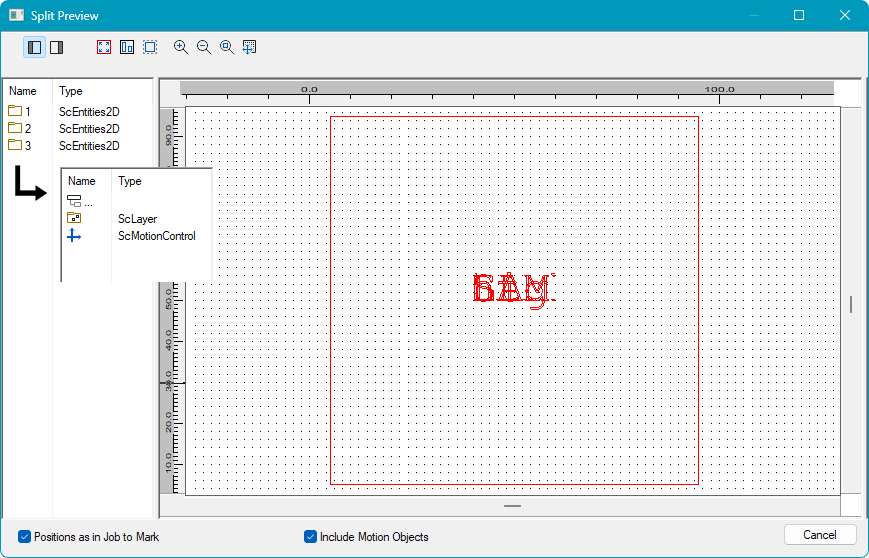
Figure 446: Split Preview with both features active