|
<< Click to Display Table of Contents > Optic3D RTC |
  
|
|
<< Click to Display Table of Contents > Optic3D RTC |
|
Requirements: for SCANLAB RTC3, RTC4 and RTC5 cards
Required SCAPS option:
Optic3D
Required SCANLAB hardware:
RTC board
RTC option "Controlling the Third Axis of a 3-Axis System"
RTC option "Second Scan Head Connector" (if Z channel is wired to 2nd scan head connector)
Required software:
32bit 3D drivers, e.g. RTC4D3.hex
3D correction file from SCANLAB → .CTB or .CT5 correction file
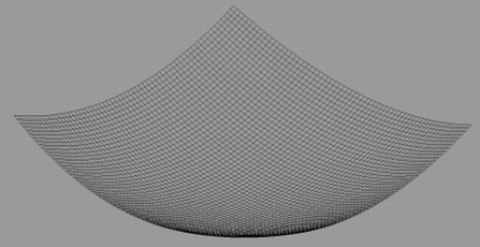
Figure 538: Shape of a 3D Correction File
Settings:
To enable 3D marking with RTC cards, both a 3D program file and a 3D correction file must be configured.
Z Table Configuration:
The Z-table parameters A, B and C can be configured in Settings → System → Card → Advanced → Driver Settings → 3D Ext. For the correct values of A, B and C, contact the scan head manufacturer.
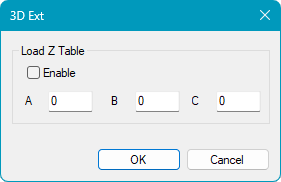
Figure 539: 3D Ext Dialog for RTC Cards
|
The values entered for A, B and C are only applied when Enable is selected in the 3D Ext settings. If Enable is not selected, the system uses default A, B and C values in the background. |
|---|
|
If the Z-axis channel is connected to the second scan head connector: → Enable the Second Head Option and assign the same correction file to the second head in Settings → System → Card → Correction. This ensures that the Z-axis uses the same correction data as the primary scan head. |
|---|
