|
<< Click to Display Table of Contents > Global Settings |
  
|
|
<< Click to Display Table of Contents > Global Settings |
|
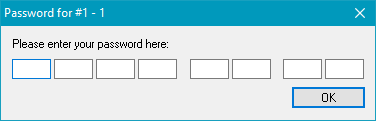
In this chapter the global settings of SAMLight are listed. System: Opens the system settings dialog. Reset License: In SAMLight, it is possible to redefine the license key. You can use it, to activate an update password. Therefore, click on Settings → Reset license in the menu bar. Clicking on OK in the questioning window will open the usual password enter dialog where you can enter the new password. This process will change the original password files located in the system folder from *.txt and *.scl to *.old.
Figure 46: Reset License password Dialog Units: Here you can choose the displayed unit. Available is mm, inch and bit. Language: Allows changing the currently used language of SAMLight. Changes will apply after restarting SAMLight. |
|---|